
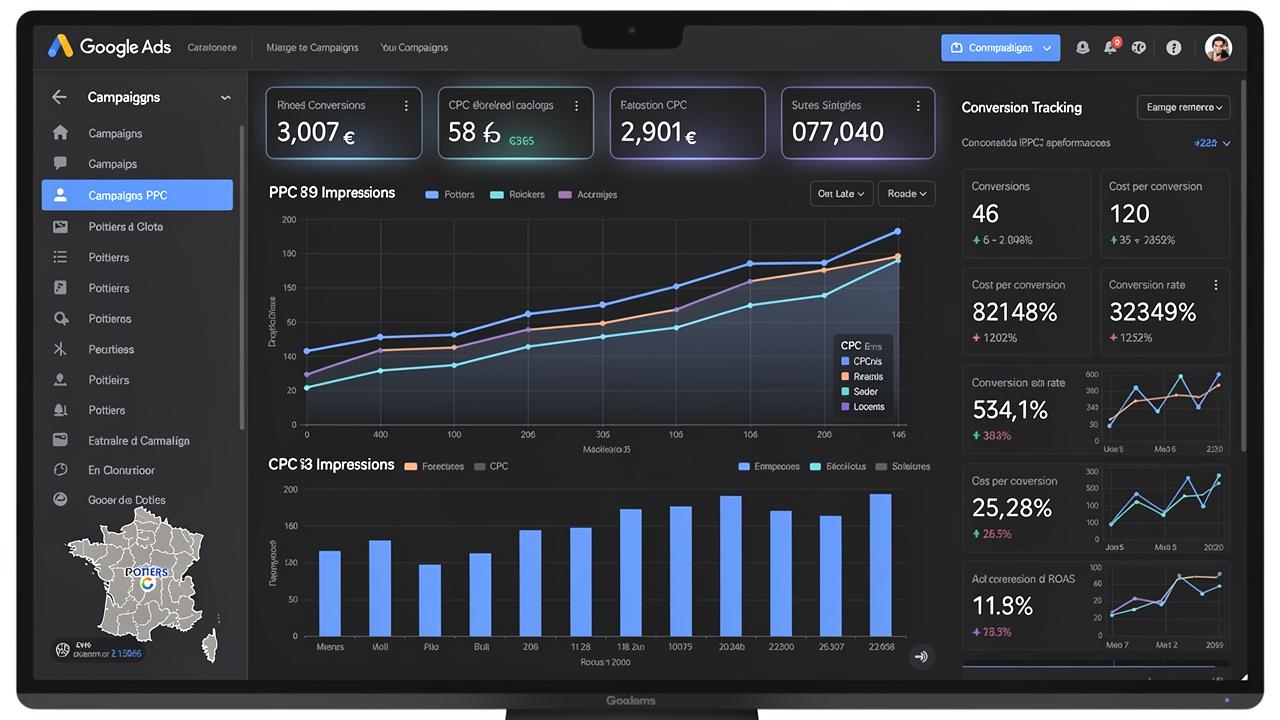
Running a Google Ads campaign is only the first step toward generating better results. To get the most from your advertising budget, you need to regularly analyze campaign performance, identify what is working, and make informed adjustments. A well-structured Google Ads campaign analysis can reveal which keywords, ads, audiences, devices, and locations are contributing to your goals—and where your budget may be getting wasted.
Whether your goal is to generate leads, increase website traffic, drive sales, or build awareness, analyzing the right performance data helps you make better advertising decisions. Google Ads provides reporting tools that allow advertisers to evaluate campaigns, ad groups, keywords, search terms, conversions, and other performance data.
In this guide, we will explain how to analyze a Google Ads campaign step by step and how to turn campaign data into practical improvements.
Why Google Ads Campaign Analysis Matters
A campaign can receive clicks and impressions without producing meaningful business results. For example, a campaign may have a good click-through rate but generate very few leads or sales. Simply looking at clicks is therefore not enough.
Regular analysis helps you answer important questions such as:
Are the right people clicking your ads?
Which keywords are generating valuable traffic?
Which ads are attracting the most engagement?
Are conversions coming at an acceptable cost?
Which locations and devices are performing best?
Are some search terms wasting your advertising budget?
Is your campaign achieving its original business goal?
Google recommends evaluating performance according to the objective of the campaign rather than relying on only one metric.
1. Start With Your Campaign Goal
Before analyzing individual metrics, identify what the campaign is designed to achieve.
Your goal might be:
Lead generation
Online sales
Website traffic
Phone calls
Brand awareness
App installations
Local service inquiries
Your campaign objective determines which metrics deserve the most attention.
For example, if your goal is lead generation, conversions and cost per conversion are generally more important than simply maximizing clicks. If the campaign is focused on ecommerce sales, conversion value and return on ad spend may provide more useful information.
Starting with the goal prevents you from optimizing for numbers that look impressive but do not contribute to business growth.
2. Review the Main Google Ads Metrics
The Google Ads dashboard provides a range of performance metrics. Understanding what these numbers mean is essential when analyzing a campaign.
Impressions
Impressions show how many times your ads were displayed.
A high number of impressions can indicate strong visibility, but impressions alone do not tell you whether users are interested in your offer.
If impressions are high but clicks are low, you may need to review your keywords, ad messaging, targeting, or relevance.
Clicks
Clicks indicate how many times users clicked your ads.
Clicks can help you understand whether your ads are attracting attention, but they should not be treated as the final measure of success.
A campaign can generate hundreds of clicks and still perform poorly if those clicks do not lead to meaningful actions.
Click-Through Rate (CTR)
CTR measures how often users click an ad after seeing it.
A higher CTR can indicate that your ad is relevant to the searcher's intent. However, the ideal CTR depends on factors such as campaign type, industry, keywords, competition, and targeting.
If an ad receives many impressions but relatively few clicks, review the headline, description, keyword relevance, and overall offer.
Cost
Monitoring spend is essential for understanding how efficiently your budget is being used.
Look for campaigns, ad groups, keywords, or search terms that consume a significant portion of the budget without producing useful results.
Conversions
Conversions represent valuable actions taken after someone interacts with your advertisement.
Depending on the business, a conversion could be:
A completed purchase
A contact form submission
A phone call
A consultation request
A quote request
A sign-up
Conversion tracking is particularly important because it helps connect advertising activity with actual business outcomes. Google recommends using conversion tracking when evaluating whether clicks are leading to sales or other valuable actions.
Cost Per Conversion
Cost per conversion helps you understand how much you are spending to generate a conversion.
If your cost per conversion is higher than what your business can reasonably afford, you may need to improve targeting, keywords, ads, landing pages, bidding, or conversion tracking.
3. Analyze Your Keywords
Keywords play an important role in Search campaigns because they help determine which searches can trigger your ads.
Review your keyword performance and look for patterns.
Ask:
Which keywords generate conversions?
Which keywords receive clicks but no conversions?
Which keywords have high costs?
Which keywords have strong CTR?
Are there keywords that are too broad for the campaign?
Are there opportunities to improve keyword relevance?
Do not automatically pause a keyword simply because it has a low number of clicks. Consider the amount of data available and whether the keyword matches your campaign objective.
The goal is to identify keywords that attract relevant users and contribute to meaningful business results.
4. Check the Search Terms Report
One of the most useful areas for Google Ads campaign analysis is the Search Terms Report.(Google Ads — About the Search Terms Report )
This report shows the actual searches that triggered your ads. It can help you discover whether users are searching for what you intended to target.
For example, if you advertise professional digital marketing services, you may discover searches that are highly relevant to your services as well as searches that have little commercial value.
Use these insights to:
Identify relevant search terms
Discover new keyword opportunities
Find irrelevant searches
Add negative keywords where appropriate
Improve your keyword strategy
Better understand customer intent
Google specifically recommends using the search terms report to understand the searches that triggered ads and their associated performance.
5. Evaluate Your Ads
Your ads are responsible for communicating your offer and encouraging users to take action.
Review individual ads and compare their performance.
Look for differences in:
CTR
Conversions
Conversion rate
Cost per conversion
Ad relevance
Messaging
Calls to action
If one ad consistently produces better results, study what makes its messaging effective.
For example, an ad may perform better because it communicates a specific benefit, addresses the customer's problem, or provides a clearer call to action.
Avoid changing every element of a campaign at the same time. Making controlled adjustments makes it easier to understand which changes actually improved performance.
6. Review Your Landing Pages
Getting a click is only part of the process. The landing page must also provide a useful and relevant experience.
Check whether the landing page:
Matches the advertisement
Clearly explains the offer
Loads properly on mobile devices
Has an obvious call to action
Makes it easy to contact the business
Provides the information promised in the ad
Builds trust with visitors
If an ad receives plenty of clicks but produces few conversions, the problem may not be the advertisement itself. The landing page could be creating friction or failing to meet the visitor's expectations.
7. Analyze Devices and Locations
Google Ads performance can vary significantly by device and location.
Review whether conversions and other valuable actions are coming primarily from:
Mobile devices
Desktop computers
Tablets
Specific cities
Regions
Countries
Google's reporting tools allow advertisers to segment performance data by dimensions such as time periods and devices, helping identify patterns that may otherwise be hidden in overall campaign results.
For a local business, location analysis can be especially valuable. If certain areas consistently generate better leads, you can use that information when refining campaign targeting and budget allocation.
8. Examine Performance by Day and Time
Not every hour or day will produce the same results.
Review campaign performance by:
Day of the week
Hour of the day
Business hours
Conversion activity
Cost
Click volume
You may discover that certain periods generate more qualified leads while other periods consume budget with limited results.
Google recommends examining factors such as locations, devices, peak days, and times when evaluating campaign performance and bids.
However, avoid making major decisions based on extremely small amounts of data. Allow enough time for meaningful performance patterns to develop.
9. Check Your Conversion Data
Conversions should be one of the most important parts of your analysis when your campaign is designed to generate leads or sales.
Look beyond the total number of conversions.
Review:
Conversion rate
Cost per conversion
Conversion value
Which campaigns generate conversions
Which keywords generate conversions
Which ads generate conversions
Which locations generate conversions
Which devices generate conversions
This helps you identify where your budget is creating actual value.
If tracking is incorrectly configured, however, your analysis may be misleading. Before making major campaign changes, make sure important conversion actions are being measured correctly.
10. Analyze Your Bidding Strategy
Your bidding strategy should support your campaign objective.
For example, campaigns focused on conversions may use conversion-oriented bidding strategies, while campaigns with other objectives may prioritize different outcomes.
When analyzing performance, consider whether your current bidding strategy matches your actual business goal.
Google advises evaluating performance in the context of the campaign's bid strategy and optimization goal. For example, in Target CPA campaigns, cost per conversion can be more meaningful than metrics such as impressions or clicks.
Avoid changing bidding strategies too frequently without sufficient performance data. Frequent major changes can make it more difficult to determine what is actually working.
11. Compare Performance Over Time
A single day rarely provides enough information to judge a campaign accurately.
Instead, compare meaningful periods such as:
Week over week
Month over month
Before and after an optimization
Current period versus a previous comparable period
Look for trends rather than isolated changes.
Google notes that campaign performance can naturally fluctuate. Its Explanations feature can also help advertisers understand significant changes in performance and investigate potential causes.
For this reason, avoid making major decisions simply because performance changed on one particular day.
12. Use Google Ads Insights and Reports
Google Ads provides several tools that can make campaign analysis easier.
The Insights page can help identify relevant trends and performance changes, while reporting tools allow you to customize data by campaign, ad group, ads, keywords, segments, and other dimensions.
Useful areas to review include:
Campaign performance
Ad group performance
Keyword performance
Search terms
Audience data
Device performance
Location performance
Auction Insights
Conversion data
Performance changes and explanations
These reports can help turn large amounts of advertising data into actionable information.
13. Identify What Is Wasting Your Budget
Effective analysis is not only about finding winners. It is also about identifying where money may be going without producing sufficient value.
Potential warning signs include:
High spend with no conversions
Irrelevant search terms
Very low engagement
Poor-quality traffic
Expensive keywords with weak results
Poor-performing locations
Weak landing-page conversion rates
Once you identify a problem, investigate the reason before making a change.
For example, high cost with low conversions could result from poor keyword intent, weak ad messaging, unsuitable targeting, landing-page problems, or incorrect conversion tracking.
14. Turn Data Into Specific Optimizations
Analysis is valuable only when it leads to better decisions.
Based on your findings, you might:
Add relevant negative keywords
Improve ad copy
Test new headlines
Refine keyword targeting
Adjust location targeting
Improve landing pages
Review device performance
Adjust budgets between campaigns
Improve conversion tracking
Review bidding strategy
Test different calls to action
Make changes deliberately and monitor the results afterward.
Instead of making many changes at once, prioritize the areas with the strongest evidence of a problem or opportunity.
Common Google Ads Analysis Mistakes to Avoid
Even experienced advertisers can make mistakes when interpreting campaign data.
Focusing Only on Clicks
Clicks are useful, but they do not necessarily represent business success. A campaign should ultimately be evaluated against its objective.
Ignoring Conversion Tracking
Without reliable conversion data, it becomes much harder to determine which parts of a campaign are actually generating value.
Making Decisions From One Day of Data
Short-term fluctuations are normal. Use an appropriate comparison period before making major changes.
Ignoring Search Intent
A keyword may appear relevant while the actual search terms show that users have a different intention.
Changing Too Many Things at Once
If you change keywords, ads, bids, budget, targeting, and landing pages simultaneously, it becomes difficult to identify which change affected performance.
Looking at Metrics Without Context
A metric is meaningful only when considered alongside the campaign objective, budget, conversion data, and time period.
A Simple Google Ads Campaign Analysis Checklist
Use this checklist when reviewing your campaign:
Campaign level
Is the campaign achieving its main objective?
Is the budget being spent efficiently?
Are conversions increasing or decreasing?
Keyword level
Which keywords generate valuable results?
Which keywords have high costs but weak performance?
Are irrelevant searches appearing?
Ad level
Which ads generate the strongest engagement?
Which ads generate conversions?
Is the messaging relevant to the target audience?
Landing page level
Does the landing page match the ad?
Is the call to action clear?
Is the page easy to use on mobile?
Targeting level
Which locations perform best?
Which devices perform best?
Are certain days or times more valuable?
Conversion level
Is conversion tracking working correctly?
What is the cost per conversion?
Which campaigns and keywords generate the most valuable conversions?
Final Thoughts
A successful Google Ads campaign is not simply about getting more clicks. It is about understanding what happens before, during, and after each click and using that information to improve advertising decisions.
A consistent Google Ads campaign analysis process allows businesses to identify strong-performing keywords, improve ad messaging, reduce wasted spend, refine targeting, and focus more closely on conversions and business goals. Google Ads provides campaign, keyword, search-term, segmentation, reporting, and insights tools that can support this process.
If your Google Ads campaigns are generating traffic but not delivering the results you expect, professional campaign analysis can help identify where improvements are needed. At Sphere Marketing Solutions, we help businesses make better use of digital advertising through strategic Google Ads management, SEO, digital marketing, and performance-focused solutions.
Ready to improve your Google Ads results? Contact Sphere Marketing Solutions to discuss your advertising goals and find opportunities to improve campaign performance.