Introduction
A well-optimized YouTube channel helps potential customers discover your business, understand your services, and build confidence in your brand. However, creating videos and uploading them regularly is not enough. Businesses also need a clear content strategy, relevant keywords, informative video descriptions, consistent branding, and performance tracking.
YouTube SEO helps businesses organize and optimize their channels and videos so they can be discovered through relevant searches and recommendations. When these efforts support useful content and a good viewer experience, YouTube can become a valuable part of a company's digital marketing strategy.
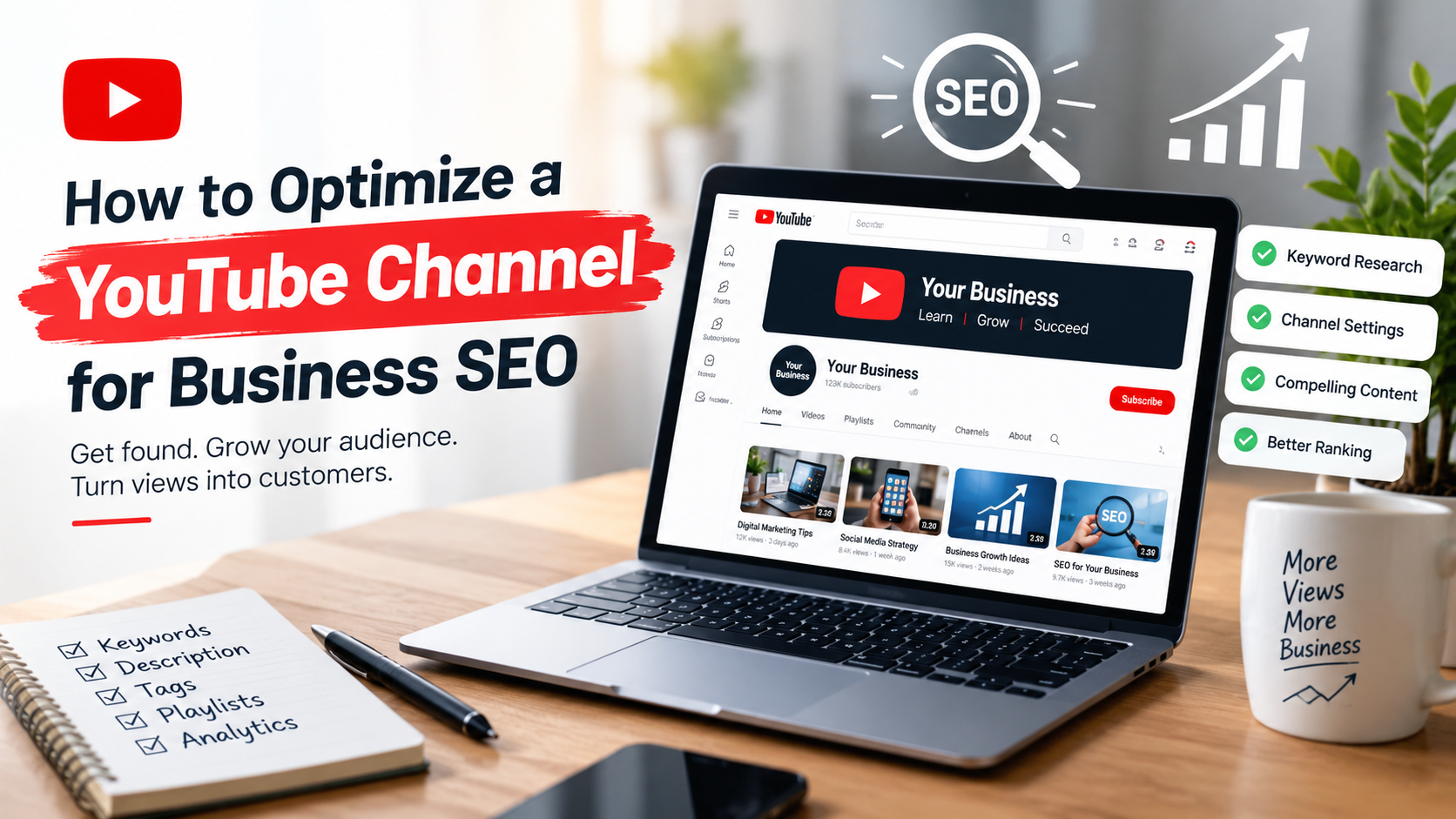
In this guide, we explain how to optimize a YouTube channel for business SEO, improve video discoverability, and turn relevant viewer interest into potential business opportunities.
What Is YouTube SEO for Businesses?
YouTube SEO is the process of optimizing a YouTube channel and its videos to help the right audience discover relevant content through search and other discovery features.
For businesses, this means creating a channel that clearly communicates what the company offers and publishing videos that answer potential customers' questions.
For example, a digital marketing agency might publish videos about SEO strategies, Google Ads optimization, social media marketing, and video editing. These topics help demonstrate the company's expertise while addressing the needs of its target audience.
YouTube SEO typically involves:
Optimizing the channel name, description, and branding.
Researching relevant keywords and customer questions.
Writing descriptive video titles and descriptions.
Creating accurate, compelling thumbnails.
Organizing videos into useful playlists.
Improving the viewing experience and measuring performance.
Connecting video content with the business website and other marketing channels.
The objective is not simply to attract more views. It is to attract viewers who are genuinely interested in the business's products, services, or expertise.
1. Optimize Your YouTube Channel Name and Branding
Your channel's appearance influences how potential customers perceive your business. A clear identity helps visitors understand who you are and what kind of content they can expect.
Choose a Clear and Consistent Channel Name
Use your established business name whenever possible. If your company is called Sphere Marketing Solutions, using that name consistently across your website and YouTube channel helps reinforce brand recognition.
Avoid adding unrelated keywords to your channel name simply to influence rankings. Your name should represent your actual business and remain easy to recognize.
Use a Professional Channel Logo and Banner
Your profile image and banner should reflect your existing brand identity. Use consistent colors, typography, and visual elements to make your channel recognizable.
Your banner can communicate your primary services or the value viewers can expect from your content. For example, a marketing agency might highlight SEO, digital marketing, video editing, and YouTube management.
Ensure important text remains readable across desktop, mobile, and television layouts.
Complete Your Channel Information
Review the channel's basic information and add accurate details, including:
Business website.
Relevant contact information.
A concise explanation of your services.
Links to appropriate business or social media profiles.
A clear description of the channel's intended audience.
A complete channel makes it easier for prospective customers to understand your business and take the next step.
2. Write an SEO-Friendly YouTube Channel Description
Your channel description should explain what your business does, who it helps, and what viewers can learn by subscribing.
Use your main business topics naturally rather than repeating the same keywords unnecessarily.
For example, a digital marketing agency can describe its expertise in search engine optimization, digital advertising, video content, and YouTube channel management.
What Should a Channel Description Include?
A useful description generally includes:
Business introduction: Identify your company and its main area of expertise.
Services and topics: Explain what your videos cover.
Audience: Clarify who can benefit from your content.
Value proposition: Tell viewers what they can learn or accomplish.
Call to action: Direct interested viewers to your website or relevant contact page.
Place the most important information near the beginning so visitors can quickly understand the channel's purpose.
Example of a Business Channel Description
A marketing agency could adapt the following example to its actual services:
"Welcome to Sphere Marketing Solutions, your resource for digital marketing insights, search engine optimization, video editing, and YouTube channel management. Explore practical strategies for improving your online presence, creating engaging video content, reaching relevant audiences, and supporting sustainable business growth. Subscribe for helpful marketing tips, business video strategies, and insights into building a stronger digital presence. Visit our website to learn more about our services."
This description communicates the channel's purpose without forcing keywords into every sentence.
3. Conduct Keyword Research Before Creating Videos
Keyword research helps identify the terms and questions people use when looking for information related to your business.
Without research, companies may publish videos about topics their target audience rarely searches for or topics that do not match their services.
Find Keywords Relevant to Your Audience
Start by identifying the problems your potential customers want to solve. Then use YouTube search suggestions, customer questions, competitor content, and keyword research tools to explore relevant topics.
For a digital marketing agency, potential research topics might include:
YouTube SEO for businesses.
How to optimize a YouTube channel.
Video marketing for small businesses.
SEO strategies for business websites.
YouTube marketing for beginners.
How to promote a business on YouTube.
Treat these as starting points for research, not as verified low-competition keywords. Check search relevance, competition, and the quality of existing results before selecting your primary topic.
Match Keywords to Search Intent
Search intent describes what someone wants to accomplish with a search.
Search intent | Example keyword | Suitable video |
Informational | How to optimize a YouTube channel | Step-by-step tutorial |
Commercial research | YouTube channel management services | Service overview or comparison |
Problem-solving | Why my YouTube videos get no views | Troubleshooting guide |
Business growth | Video marketing for small businesses | Practical marketing strategy |
Understanding search intent helps you create content that answers the viewer's actual question instead of merely mentioning a keyword.
Use One Primary Topic Per Video
Each video should have a clear central subject. Supporting keywords can appear naturally where they fit, but the title, description, and content should remain focused on the same purpose.
For example, a video about optimizing a YouTube channel should explain channel setup, descriptions, video organization, and performance analysis rather than attempting to cover every aspect of digital marketing.
This focused approach makes the content easier to understand and helps viewers determine whether the video meets their needs.
4. Create Descriptive, Search-Friendly Video Titles
A video title helps potential viewers understand what the video offers before they click.
A strong title communicates the topic clearly, uses relevant language, and accurately represents the video's content.
Best Practices for YouTube Video Titles
Include the primary keyword when it fits naturally.
Put the main topic near the beginning when practical.
Explain the specific benefit or question addressed.
Keep the wording clear and easy to understand.
Avoid misleading promises and exaggerated claims.
Make each title distinct from other videos on your channel.
For example, "How to Optimize a YouTube Channel for Business SEO" clearly communicates the topic and intended audience.
A title such as "Get Millions of Views Overnight" may attract curiosity, but it creates unrealistic expectations if the video cannot deliver that result.
YouTube recommends accurate, compelling titles and thumbnails. Changing a title alone does not guarantee better rankings; performance depends on how viewers respond to the video and other factors.
The goal is to earn relevant clicks by accurately communicating value, not to attract clicks at any cost.
5. Write Useful and Relevant Video Descriptions
Video descriptions provide additional context about what viewers will learn. They can also help people find relevant resources associated with the video.
Write an original description for every video rather than copying the same block of text across your channel.
What Makes a Good Video Description?
A well-written description should:
Explain the video's main topic in the opening lines.
Include the primary keyword naturally.
Summarize the important points covered.
Mention related topics where relevant.
Link to useful resources or the relevant service page.
Include a clear next step when appropriate.
For example, a video about business YouTube SEO could explain how channel descriptions, keyword research, thumbnails, playlists, and analytics support a more effective content strategy.
If the video discusses your company's services, link to the relevant page rather than directing every viewer to the homepage.
Avoid keyword stuffing, repetitive descriptions, and irrelevant links. These practices do not replace useful content and can make the viewer experience worse.
6. Design Clear and Compelling Video Thumbnails
A thumbnail gives viewers a visual preview of a video. It should communicate the subject quickly and remain readable when displayed at a small size.
For a business channel, thumbnails should look professional without making every video appear identical.
Thumbnail Optimization Tips
Use a clear focal point. Select an image, product, person, or visual element that relates directly to the video.
Keep text brief. Use a short phrase that reinforces the topic rather than repeating the entire title.
Maintain visual consistency. Apply recognizable brand colors and typography across related videos.
Prioritize readability. Make sure important text and visuals remain clear on mobile screens.
Represent the content accurately. Do not use misleading images or promises that the video does not fulfill.
For example, a video about YouTube analytics could use a clear dashboard-style visual with a short phrase such as "Measure Channel Growth."
An attractive thumbnail can encourage relevant viewers to click, but it cannot compensate for a video that fails to deliver the promised information.
7. Organize Videos Into Relevant Playlists
Playlists group related videos together, making it easier for visitors to find content on a particular subject.
They also help businesses create a structured learning experience instead of presenting an unorganized collection of uploads.
How to Build Useful Playlists
Organize videos around specific topics, services, or stages of the customer journey.
A digital marketing agency might create playlists such as:
YouTube SEO and Channel Optimization.
Digital Marketing Strategies.
Search Engine Optimization Tutorials.
Business Video Editing.
Google Ads Tips.
Social Media Marketing.
Give each playlist a descriptive title and a short explanation of the content it contains.
Avoid creating numerous overlapping playlists with nearly identical topics. Every playlist should serve a clear purpose.
For example, a beginner-friendly YouTube SEO playlist could start with keyword research, continue with title and description optimization, and finish with analytics and content improvement.
This structure makes your channel easier to navigate and encourages viewers to explore related videos.
8. Publish Valuable Videos Consistently
Consistency helps your business maintain an active content strategy, but publishing frequency alone does not guarantee better rankings.
Prioritize useful videos that address real customer needs and align with your company's expertise.
Choose the Right Types of Business Videos
Different formats can serve different marketing objectives.
Educational tutorials: Explain how to solve a specific problem or complete a task.
Service explainers: Describe what your business offers, how the process works, and who may benefit.
Case studies: Present genuine projects, challenges, methods, and measurable outcomes when reliable evidence is available.
Frequently asked questions: Answer common questions prospective customers ask before choosing a service.
Product demonstrations: Show how a product works and explain its practical benefits.
Short-form videos: Share concise tips or individual insights that complement your broader content strategy.
For example, an agency offering YouTube management could publish a detailed channel optimization tutorial, followed by shorter videos about thumbnail design, keyword research, and playlist organization.
Build a Sustainable Publishing Schedule
Choose a schedule your team can maintain without sacrificing content quality.
Before publishing, check the video's accuracy, audio quality, editing, title, description, thumbnail, and intended audience.
A smaller collection of useful videos can provide a better experience than frequent uploads that repeat the same information.
9. Improve Video Engagement and Viewer Experience
Getting a viewer to click is only the beginning. The video must deliver on its promise and make the information easy to follow.
Start With a Clear Introduction
Explain what the video covers and why it matters. Avoid long introductions that delay the answer to the viewer's question.
For a tutorial, introduce the problem and briefly outline what the viewer will learn.
Keep the Content Focused
Remove unnecessary repetition, lengthy pauses, and unrelated promotional sections.
Use examples, screen recordings, demonstrations, and on-screen explanations when they make the subject easier to understand.
Improve Audio and Editing Quality
Clear audio, readable text, suitable pacing, and consistent visual quality help create a more professional viewing experience.
For business content, use editing to improve understanding rather than adding effects simply to make the video look more complicated.
Add Captions Where Appropriate
Accurate captions make videos more accessible to people who are deaf or hard of hearing and can help viewers follow content in sound-sensitive environments.
Review automatically generated captions for mistakes, particularly when they contain technical terms, business names, or specialized vocabulary.
Use End Screens and Relevant Links
When appropriate, use end screens to recommend related videos or invite viewers to subscribe. Cards and description links can direct interested viewers to useful content.
Every recommendation should be relevant to the video the viewer has just watched.
10. Use YouTube Analytics to Measure SEO Performance
Optimization should continue after publication. YouTube Analytics helps businesses understand how people discover and interact with their content.
Rather than judging success by views alone, examine whether videos attract the intended audience and contribute to business objectives.
Key Metrics to Monitor
Metric | What it helps you understand |
Impressions | How often eligible thumbnails are shown on YouTube surfaces measured by this metric |
Impressions click-through rate | How frequently viewers click after seeing counted thumbnail impressions |
Views | How much viewing activity your videos receive |
Watch time | The total time viewers spend watching |
Audience retention | Which parts of a video keep viewers watching or lose their attention |
Traffic sources | Where viewers discover your videos |
Subscribers gained | Which content helps attract subscribers |
Website visits and inquiries | Whether YouTube contributes to business interest and leads |
Not every view produces a counted impression, and click-through rates vary by traffic source, audience, and video. Interpret these metrics in context rather than applying a universal target.
Use Performance Data to Improve Content
If a video receives impressions but relatively few clicks, review whether its title and thumbnail clearly communicate the content.
If viewers leave early, examine the introduction, pacing, and alignment between the title's promise and the actual video.
If a tutorial attracts relevant viewers and generates meaningful engagement, consider creating a follow-up video that answers the next logical question.
For business outcomes, use suitable website analytics and campaign tracking where possible. This can help distinguish general video popularity from traffic and inquiries that support your marketing goals.
11. Connect YouTube SEO With Your Business Website
YouTube can complement your website's SEO and broader digital marketing strategy. The two channels serve related but different purposes.
Your website provides detailed information about your services, while YouTube allows you to demonstrate expertise through video.
Embed Relevant Videos in Website Content
If a video directly explains a topic covered in a blog post or service page, consider embedding it where it helps readers.
For example, an article about video marketing can include a relevant tutorial that demonstrates the strategy discussed in the text.
Make sure the video adds value instead of distracting from the page's main purpose.
Link to Relevant Service Pages
Use your video description to direct interested viewers to the appropriate resource.
A tutorial about YouTube optimization may link to a YouTube management service page, while a video about editing techniques may link to video editing services.
The destination should match the viewer's interest.
Keep Website and Channel Branding Consistent
Use the same business name, logo, service descriptions, and contact details wherever practical.
Consistent branding helps customers recognize your company as they move between your videos, website, and other marketing channels.
Remember that embedding a video or receiving a website visit does not automatically improve Google rankings. The value comes from providing useful, relevant content and a better overall experience.
12. Avoid Common YouTube SEO Mistakes
Businesses sometimes spend time on optimization techniques that offer little value or undermine audience trust.
Avoid these common mistakes:
Keyword stuffing: Repeating search phrases unnaturally makes titles and descriptions difficult to read.
Misleading thumbnails: Attracting clicks with visuals that do not represent the video can disappoint viewers.
Duplicate content without a purpose: Uploading repetitive videos can make it harder for viewers to find genuinely useful information.
Ignoring analytics: Publishing continuously without reviewing performance prevents you from identifying what needs improvement.
Inconsistent branding: A confusing channel identity makes it harder for potential customers to recognize your business.
Unclear calls to action: Viewers may not know where to go next if a relevant next step is missing.
Buying fake views or subscribers: Artificial engagement does not create a reliable audience of potential customers and can violate platform policies.
Expecting instant results: Search visibility and audience development take time, and no ethical SEO strategy can guarantee a specific ranking or number of views.
Google's guidance emphasizes helpful, reliable, people-first content rather than content created primarily to manipulate search rankings. The same principle is useful when planning videos for a business audience.
13. Create a Practical YouTube SEO Workflow
A repeatable workflow helps your team optimize videos without overlooking important details.
Before Publishing
Identify the audience and purpose of the video.
Research the main topic and relevant search terms.
Prepare a clear, accurate title.
Write an original description.
Create a professional thumbnail.
Review the video's audio, editing, and factual accuracy.
Add appropriate captions, playlists, and related links.
After Publishing
Review available analytics as the video gathers data.
Examine traffic sources and audience retention.
Identify opportunities to improve titles, thumbnails, or content.
Add relevant videos to appropriate playlists.
Connect interested viewers with suitable website resources.
Use audience questions and performance patterns to plan future videos.
This process makes optimization part of your ongoing content strategy rather than a one-time task.
Frequently Asked Questions
1. How do I optimize a YouTube channel for business SEO?
Start by establishing clear branding, completing your channel description, researching relevant keywords, optimizing video titles and descriptions, creating accurate thumbnails, organizing playlists, and reviewing analytics. Focus on videos that answer your target audience's questions.
2. Do keywords help YouTube videos rank?
Relevant keywords can help communicate a video's subject and align it with the language viewers use. However, keyword placement alone does not guarantee rankings. Content relevance, viewer behavior, and other discovery systems also matter.
3. How often should a business upload YouTube videos?
There is no universal publishing schedule that works for every business. Choose a realistic frequency that allows you to produce useful, accurate, well-edited videos consistently.
4. Are YouTube tags important for SEO?
Tags can help with common misspellings and certain cases of contextual clarification, but YouTube explains that tags generally play a minimal role in discovery compared with elements such as titles, thumbnails, and descriptions. Prioritize the elements that communicate the video's value clearly.
5. Can YouTube SEO help generate business leads?
Yes, it can support lead generation by helping relevant viewers discover educational content, understand your expertise, and visit suitable service pages. Results depend on audience relevance, content quality, the offer, and the effectiveness of the next step.
6. How long does YouTube SEO take to show results?
There is no fixed timeline. Some videos may attract relevant views relatively quickly, while others take longer to build visibility. Competition, audience demand, content quality, and viewer response all influence performance.
7. Should businesses focus on YouTube Shorts or long-form videos?
Both formats can serve useful purposes. Shorts can communicate quick tips and introduce your brand, while longer videos can explain complex topics in greater detail. Choose formats according to your audience, resources, and marketing objectives.
Conclusion
Optimizing a YouTube channel for business SEO requires more than adding keywords to video titles. Businesses need a clear channel identity, relevant topics, useful descriptions, accurate thumbnails, organized playlists, engaging videos, and a process for measuring results.
The most effective approach is to understand what your audience wants to learn and create content that genuinely answers those questions. By reviewing performance data and improving videos over time, your business can build a more discoverable and useful YouTube presence.
Grow Your Business With Sphere Marketing Solutions
A well-managed YouTube channel can become an important part of your digital marketing strategy when supported by relevant content, consistent branding, and ongoing optimization.
At Sphere Marketing Solutions, we provide digital marketing, SEO, video editing, and YouTube channel management services designed to support your online presence and business goals. Whether you are building a new channel or improving an existing one, a structured strategy can help you make better use of your video content.
Ready to improve your business's YouTube presence?
Visit Sphere Marketing Solutions to explore our services and discuss your digital marketing goals.
Phone: +1 (604) 313-7091